Runway Gen-3 Alpha Turbo creates high-quality videos faster and more affordably, enabling rapid iteration without compromising performance. Try Gen-3 Alpha Turbo on Pollo AI for free!
Pollo Recast
Recreate viral videos. Remix new versions.
Pollo Recast Challenge
One upload in. Your viral video out. Unlimited rewards await.
Pollo Agent x DeepSeek V4.1 FLASH
Faster completion at a much lower cost.
Pollo Agent x Gemini 4 Argon
Smarter reasoning. All through Pollo Agent.
WIN iPHONE DUO
Capture a city in one minute. Join the challenge now.
Pollo MCP
End-to-end content creation. Up to 4 Videos/ 20 Images for FREE.
Get Unlimited GPT Image 2.5
Faster. Sharper. Smarter. Go Unlimited with Ultra.
Key Features
Text & Image to Video: Transform images and text prompts into captivating, cinematic videos with intricate visuals.
Act One: Convert the uploaded video into an animated version of a chosen character.
Camera Control: Customize camera angles, movements, and perspectives to create dynamic and engaging scenes.
Expand Video: Alter the aspect ratio of your video to portrait or landscape.
Video to Video: Use descriptive text prompts to significantly alter an existing video's style or appearance.
Faster Video Generation: Generate videos 7 times faster than Gen-3 Alpha.
Lower costs: Generate videos at half the cost of Gen-3 Alpha.
Text & Image to Video
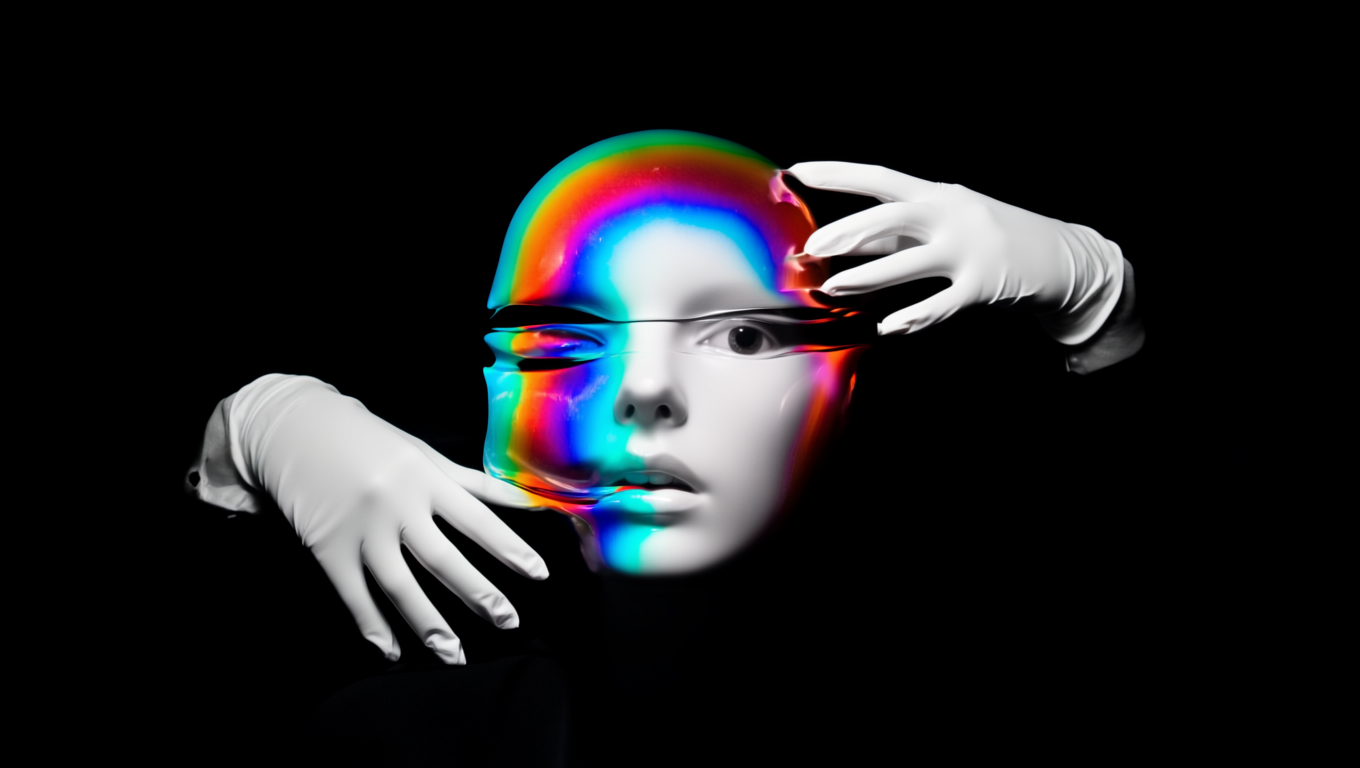
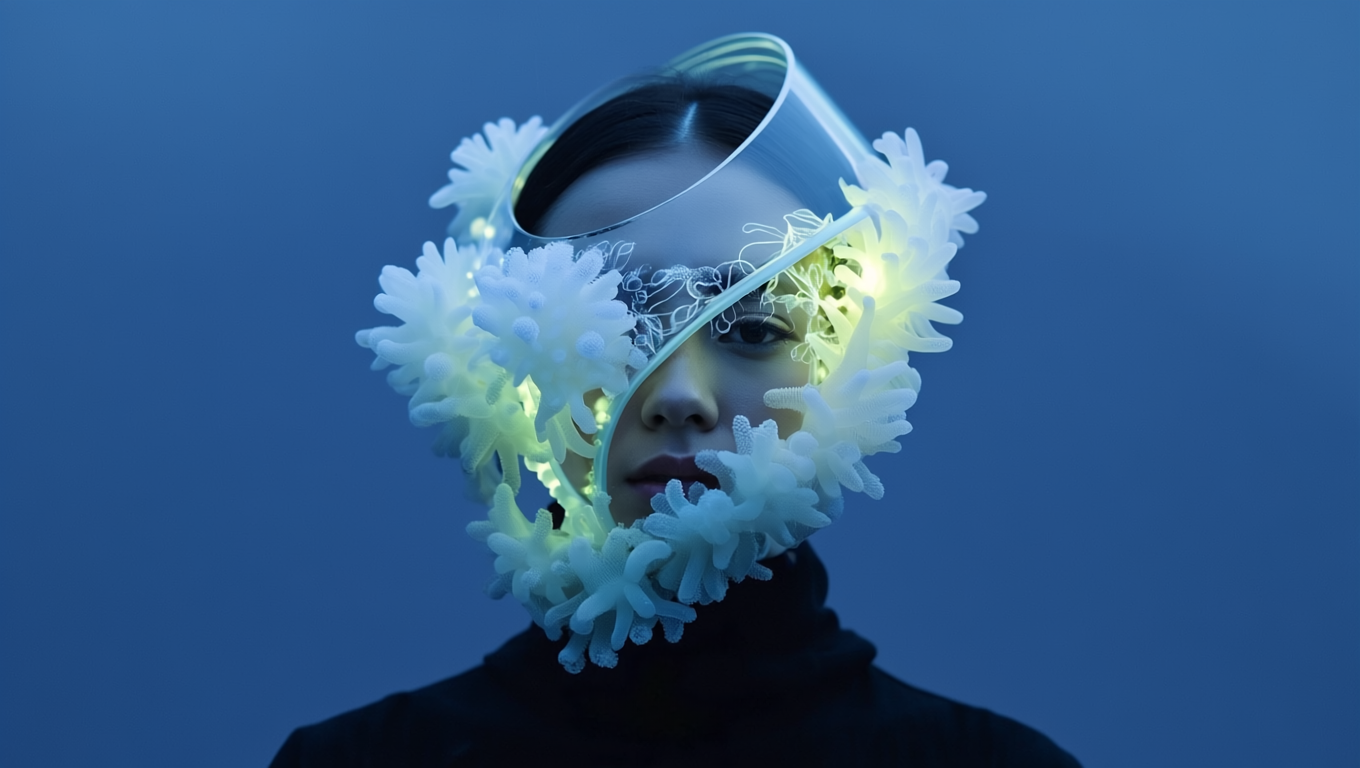
Runway Gen-3 Alpha Turbo enables users to transform their ideas into captivating videos. Compared to its predecessor, Gen-3 Alpha Turbo can process complex prompts and generate intricate visuals at an unprecedented speed. To utilize this feature, users need to upload an image that will serve as the foundation for the AI to create a dynamic, visually stunning video.
Prompt
Image
Output video
The gloved hands pull to stretch the face made of a bubblegum material
The sea anemones sway and flow naturally in the water. The camera remains still.
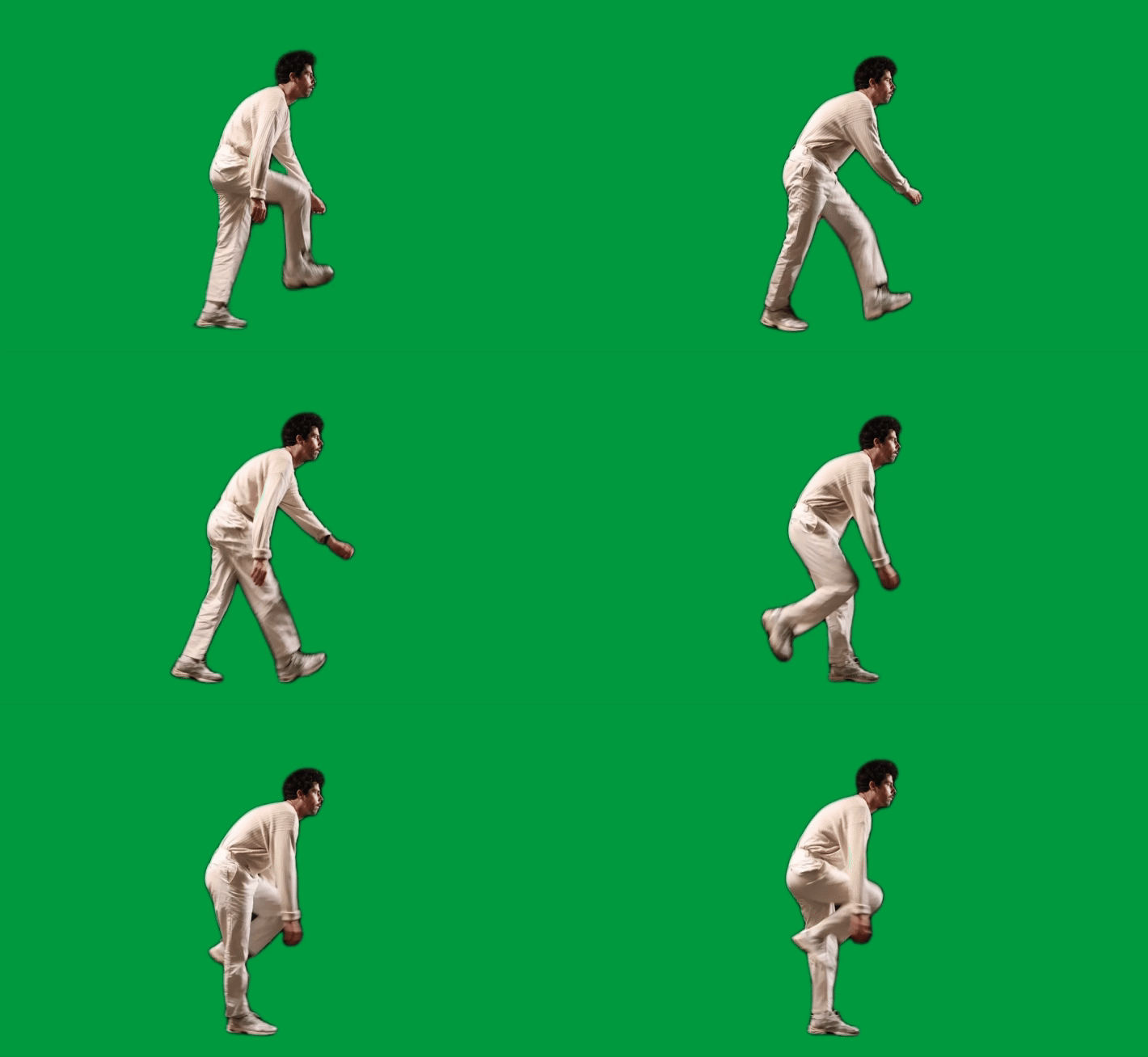
Act One is a groundbreaking feature within Runway's Gen-3 Alpha Turbo that revolutionizes the animation creation process. It allows users to upload a video capturing an actor's performance, along with a selected character reference.
The advanced AI technology then analyzes and translates the actor's movements, expressions, and emotions into an animated character, effectively bridging the gap between live-action and animation.
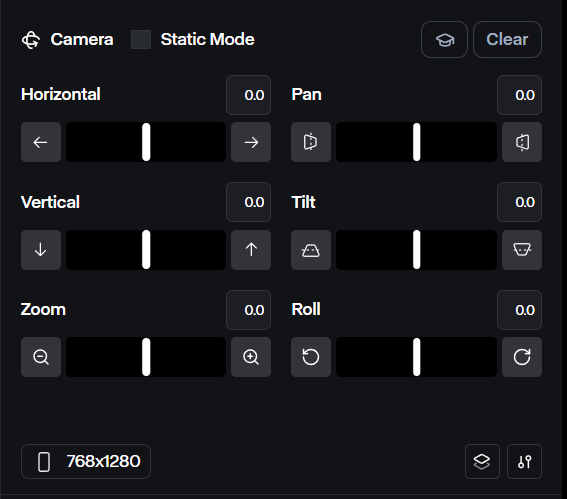
Runway's Advanced Camera Control feature offers enhanced control over the direction and intensity of shots for the Gen-3 Alpha Turbo. With this feature, users can manipulate the following camera aspects:
Horizontal and Vertical Movement: Control the camera's movement along both axes for smooth and precise framing.
Pan and Tilt: Adjust the camera's pan and tilt to explore locations or follow subjects with ease.
Zoom and Roll: Fine-tune the zoom level and camera roll to add depth and dynamic perspectives to scenes.
Direction
Description
Text Prompt
Example Output
Horizontal
Camera moves across the X axis
Camera glides right
Vertical
Camera moves across the Y axis
Camera slightly glides up
Pan
Camera turns horizontally from a fixed point
Camera pans to position directly in front of the woman
Tilt
Camera tilts vertically from a fixed point
Camera tilts to an upwards angle
Zoom
Camera moves closer or further from focal point
Camera zooms out
Roll
Camera rotates from a fixed point
Camera rotates to the right while maintaining focus on the subject
There's also the Static Camera checkbox, which is a valuable tool that reduces camera motion in the output video. By selecting this option, users can achieve more consistent results that effectively maintain visual stability and cohesion throughout their creative projects.
Text Prompt
Example Output
The woman dynamically swings back and forth. she gently kicks out her legs and swings towards and away from the camera. dynamic motion.
You can also read the tweet below to learn more about the camera control techniques.
Advanced Camera Control is now available for Gen-3 Alpha Turbo. Choose both the direction and intensity of how you move through your scenes for even more intention in every shot.
Runway's Expand Video tool is an advanced feature that allows users to seamlessly extend the edges of their video frames. With this tool, you can convert horizontal videos into vertical ones and vice versa without compromising on the details or framing.
When using this feature, you can also input text prompts for the expanded areas to maintain visual consistency throughout your transformed videos.
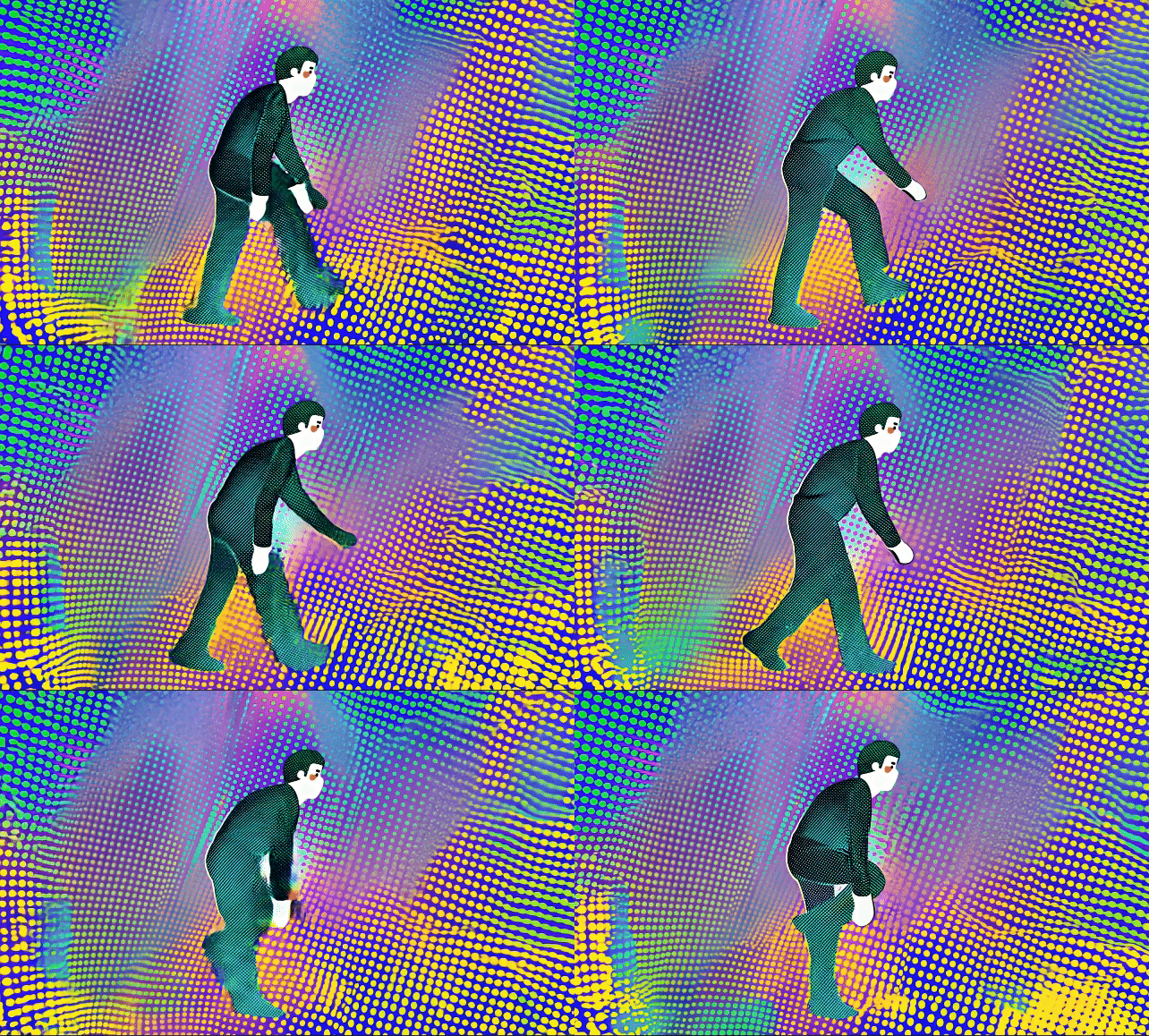
Dramatically change the style of your input video by using a strong text prompt. The more descriptive your prompt, the better the results! This feature allows you to explore a range of styles, giving your AI videos a unique flair that stands out.
Input Video
Text prompt
Output Video
3D halftone CMYK style. halftone print dot. comic book. vibrant colors in layers of cyan blue, yellow, magenta purple, and black circular dots.
Faster & More Affordable
Gen-3 Alpha Turbo is approximately seven times faster and half the cost of Gen-3 Alpha, allowing users to create videos more efficiently and economically. This model is particularly beneficial for AI video production, enabling creators to produce content quickly without compromising on quality.
Sharing another fun character generated with Frames, animated with Gen-3 Alpha Turbo, and lip synced with Act One all from Runway. (I did this during my morning coffee 🤯)
I’ve been using Pollo AI mainly for short videos and quick image-to-video tests. The interface is straightforward and it works well even with simple prompts, which is a big plus compared to tools that need long, complicated instructions. The results can be really impressive, and it’s honestly been fun to experiment with. I’d love a bit more consistency on faces when there’s movement, but overall it’s been a solid experience for what I needed.
Awesome website. loads of options and a great way to learn how to work with 'AI' my reasoning for 5 stars is based upon price, versatility and ease of use. Also I would like to add, Pollo AI runs a lot of promos on different AI products as well. I rate their customer service at 5 stars, when I purchased my first subscription my computer crashed the following weekend and I lost all my data and info passwords you name it I lost it, contacted pollo by email they responded quickly and found my info/username and account, and I was able to restore my account.
I have been using Pollo AI for short videos. It is easy to use and works well with simple prompts. Other generators seem to need long drawn out complicated explanations to get even close to what I want.
i tried 220 online img to vid in 2 months, and this is the best online video.I will subscribe for a year; there are many reasons. But freedom is the most important.
Informative Articles About Runway Gen-3 Alpha Turbo
Read more articles on Runway Gen-3 Alpha Turbo to gain a deeper insight into this model!
Runway Gen-3 Alpha Turbo is an advanced AI video generation model that enhances the capabilities of its predecessor, Gen-3 Alpha. This model is designed to streamline the video creation process, allowing users to generate high-quality, realistic videos more efficiently and affordably. It's half of the cost of the Gen-3 Alpha.
What is the difference between Gen-3 and Gen-3 Alpha Turbo?
The primary differences between Gen-3 and Gen-3 Alpha Turbo lie in performance enhancements and feature sets. While both models utilize advanced AI technology for video generation, Gen-3 Alpha Turbo offers faster processing speed and more advanced features like Act One and Camera Control at lower costs.
What is the resolution of Gen-3 Alpha Turbo?
Runway Gen-3 Alpha Turbo supports multiple output resolutions, including 1280x768 and 768x1280. This flexibility allows users to create videos optimized for various platforms and formats, whether for social media sharing or web use.
Is the Runway Gen 3 Turbo free?
Yes. You can access Runway Gen-3 Turbo through Pollo AI’s free trial and explore its video generation features at no initial cost.
Does Gen 3 Alpha Turbo have a motion brush feature?
Unfortunately, the Gen-3 Alpha Turbo does not currently feature a Motion Brush capability. However, you can explore its Gen-2 model to use the motion brush.
















 Liz Cassidy

